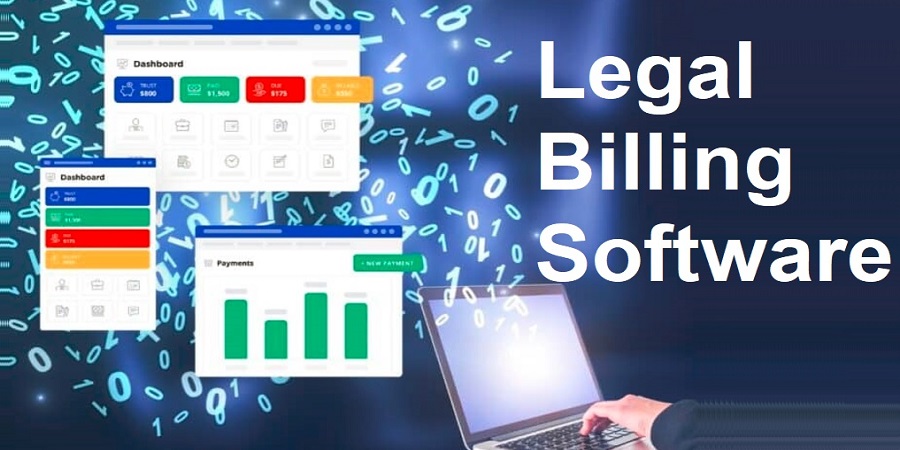
Legal Billing Software is a specific computer technology which assists law firms to operate their billing, invoicing, and financial tasks smoothly. In contrast to generic accounting packages, it is specifically designed to address the specific needs of legal practices, like finding out billable hours, client trust account, and remaining in compliance with industry regulations.
Law firms should have accurate billing. Legal billing software eases time keeping by allowing attorneys to document time spent on client cases with accuracy. It also streamlines the invoicing process, so that the client is presented with clean and professional invoices in a timely manner and helps decrease the time lag in payment. Automated client-fund tracking simplifies trust accounting, which is mandatory in many jurisdictions, reducing chances of encountering errors or failing to comply with trust accounting.
What Is Legal Billing Software?
Overview of Purpose and Core Functions
Legal billing software is a specialized solution, which assists law firms to manage financial processes with accuracy, effectiveness, and legal conformity. It mainly aims at simplifying the processes of billing, reducing administrative mistakes, and providing firms with a clear insight into their revenues and balances with clients.
Time Tracking, Invoice Generation, and Expense Management
Some important features are real time time tracking, which allows attorneys to bill clients or matters. Professional billing is automated through invoice generation, hourly rates, fixed charges or retainer uses can be calculated, and even recurring invoices can be managed. Expense management documents expense items like filing fee or traveling or research, and so on, and client is billed accurately.
Trust Accounting and Compliance Features
One of the outstanding factors is trust accounting. It assists companies in dealing with client funds deposited in trust accounts, and makes sure that the appropriate allocation of the funds is done, correct record keeping is upheld and the state bar regulations are met. Numerous platforms offer audit trails, reporting and alerts that help to curb violations and make it easier to comply with regulations.
Summary
The legal billing software saves time, increases the accuracy of billing, compliances, and puts more emphasis on the service of clients than paperwork by integrating billing, time tracking, expenses, and trust accounting.
How to Choose the Right Legal Billing Software
Key Features to Look For
When choosing legal billing software, pay attention to the features that will help to simplify the work of your firm. Tracking time ensures effective billing of working hours on specific matters. Trust accounting maintains client funds and is in accordance with bar rules. In companies where corporate or insurance clients are involved, LEDES billing support becomes extremely essential in standardized invoice submission. Additional helpful capabilities include automated invoicing, tracking expenses, reporting, and integration with case management systems.
Cloud-Based vs Desktop Tools
Legal billing software is available as a cloud-based and desktop software. Cloud solutions are considered as anywhere access, real-time updates, automatic backups, and simple collaboration between offices. Desktop tools can provide a higher level of control over data storage and security and can be less flexible and need to be updated manually. Select depending on your working process, remote work requirements, and IT capacity.
Solo Practitioner vs Firm Needs
Individual workers usually require very simple, easy to use software, with simple timekeeping, invoicing and trust accounting. Mid-size and large companies might need such advanced features as multi-user access, reporting dashboard, LEDES billing, and communication with accounting and case management systems. The software is matched to the size of the firm and workflow to make sure that they are efficient and not too complex.
Budget & Scalability Tips
Take into account initial expenses and the costs in the long run (i.e. subscription fees, upgrades, and additional modules). Select software which can support your growth so that you can add users, cases or sophisticated features as time progresses. It is a flexible solution that will not require you to have frequent changes when your practice grows.
With the help of features assessment, deployment alternatives, firm size, and budget, law firms can choose legal billing software to increase efficiency, raise compliance, and promote long-term growth.
Clio – All‑in‑One Legal Practice & Billing Platform
- *Overview: Clio is an all-encompassing platform, which provides billing, time tracking, invoicing, trust accounting, portals with clients, and automated processes.
- Pros: Good time tracking, automated invoicing, flexible billing options, secure client portal and a wide range of integrations.
- *Disadvantages: Is expensive to smaller companies; more complex features need superior levels; it is not as customizable in reporting as niche tools.
- Pricing: Prices will generally range between $39 to $99 and above per user/month.
TimeSolv – Strong Billing + Case Integration
- Presentation: TimeSolv is a detailed legal billing package that includes time tracking, trust accounting, and custom invoices, which can be used by firms with different billing requirements.
- *Advantages: Great billing modules, trust accounting, built-in payment and powerful reporting.
- *Cons: Does not have as many practice management capabilities as full suite.
- *Pricing: Approximately, $47.50/per user/month and volume discount.
Bill4Time – Smart Time & Expense Tracking
- Overview: Bill4Time provides compliant time and expense billing that is cloud-based and offers hassle-free rate structures.
- *Advantages: Correct time keeping, simple billing configuration, simple reporting.
- *Disadvantages: Interface is somehow outdated; trust accounting features and advanced features can be at higher levels; only a few integrations.
- THE Pricing: Mid-tier pricing depends on the plan chosen.
PracticePanther – Simple Interface & QuickBooks Integration
- Overview PracticePanther is a billing, time-tracking, and case management system with an intuitive design and integrated with QuickBooks.
- *Advantages: Simple capturing of expenses, automation software, good reporting.
- *Disadvantages: Billing is an addition; less automation options; more expensive to have full billing.
- *Pricing: The plans normally begin at approximately $59-99+ per user/month.
MyCase – Billing + Secure Client Communication
- Overview: MyCase is a legal billing solution that includes client portals, messaging, and online payments, which is suitable to small to medium firms.
- *Advantages: Tailored billing process, batch, and billing, and secure communications.
- *Disadvantages: payment and management software may seem out of place; few integrations; increased payment costs.
- *Pricing: The pricing is approximately between 49 and 109 plus/per user/month.
CosmoLex – Billing With Accounting Included
- Overview CosmoLex is a legal billing plus full accounting (general ledger, trust management, billing) platform.
- *Advantages: Built-in accounting eliminates the use of external tools; automated billable hour tracking.
- *Disadvantages: Few third-party connections; it might be more expensive than competitors.
- -Pricing: By plan, the mid-range monthly per-user pricing will vary.
Features to Compare (Tips & Examples)
Time Tracking: Manual vs Automatic Timers
The legal billing revolves around time tracking. Manual entry allows the lawyers to record hours at any time they find it convenient, although information can be missed or under-billed. Automatic timers will begin and end with your work time and all billable time is captured and accuracy is enhanced. In case you alternate tasks, automatic timers will allow you not to lose time and create more accurate invoices.
Invoicing: Custom Templates & LEDES Support
Smooth invoicing guarantees that clients are aware of their charges and make payments in due time. Search templates which have company branding and adaptable billing structures (hourly, flat fee, blended rates). LEDES support is necessary on the case of corporate or insurance clients, standardizing the structure of the invoice and ensuring its compliance with the strict requirements of the industry and the acceptance of the invoices by the companies.
Trust Accounting: Law‑Specific Compliance
Trust accounting helps ensure client funds are safely kept and it also assists in complying with bar association requirements. A good system would also monitor retainers independently, eliminate mixing, issue warning of low balances, and create audit-ready documents. When your company deals with settlements or retainers, trust accounting is not an option, but you need it to remain ethical and avoid fines.
Integration: CRM, Case Management, Accounting Tools
Select software that will connect with your CRM and case management software so that client data, deadlines and billing data are kept in concert. The accounting application integration with QuickBooks, or in-house ledgers, will lessen the amount of manual entry and remove reconciliation headaches, as well as provide a single financial view.
Reports: Profitability, Overdue Bills, Cash Flow
Strong reporting transforms billing information to actionable information. Profitability reports give an idea of which issues result in the highest revenue. In overdue bill accounts the priority is on collection and in cash flow dashboards you always stay ahead of the payments coming in or going out. These knowledge nuggets will allow you to make improved choices concerning pricing, staffing, and client management.
Explore Top & Best Legal Technology Tools and Software in the USA
How Legal Billing Software Improves Law Firm Efficiency
Reduces Billing Errors
Software reduces errors due to automatic billable hour calculation, proper rates, and costs. Reduced conflicts translate to more time to be spent on lawyers and personnel.
Faster Invoice Delivery
Automated invoice systems allow companies to send bills immediately after the work has been done. A shorter payment cycle will decrease delays and maintain the revenue constant.
Improved Cash Flow & Client Satisfaction
Proper and prompt billing provides better financial management of the firms. Clients like transparent and clear invoices, and this fosters trust and minimized questions or disagreements. The efficient billing process demonstrates the clientele that they are appreciated and increases general satisfaction.
Automation & Mobile Accessibility
The software of the modern generation is used to automate repetitive procedures like recurring invoices, payment reminders, and expense tracking. Mobile access will allow the attorneys to record time, take expenses, and send invoices anywhere so that there are no billable hours wasted. Automation and remote connection are merged to provide faster, more efficient, and less error-prone workflows.
Lessening errors, accelerating payment, improving cash flow, and taking advantage of automation, legal billing software greatly increases the efficiency of firms and enables lawyers to pay more attention to serving clients instead of doing paperwork.
Real Examples & Use Cases
Solo Lawyer
The solo practitioner balances between the work with clients, court deadlines, and administration. The billing software is useful, as it automatically monitors the time logged as billable using a timekeeper, preventing wasted time. Rather than recording the number of hours at the end of the day, the lawyer activates the timer when he or she begins a case file and deactivates it when he or she closes the file- each minute is properly recorded. Professional bills are made faster with custom invoice templates, which enhances cash flow. Inbuilt mobile access will allow the lawyer to record time and costs whether in court, meetings or travelling, reducing backlog and eliminating delays.
Small Law Firm
Billing complexity increases with a small firm having a number of attorneys. Time-billing software that has trust accounting makes client retainer ethical and not breaking the bar rules. In a family and criminal law firm employment of three attorneys, each of them logs time to common matters, and the system summarises data into transparent invoices. Robots send out the bills reminder emails, increasing the collection. Integrated reporting determines the most profitable type of cases helping to narrow down pricing and resource allocation.
Mid‑Size / Growing Practice
An expanding middle-size company requires solutions that are scalable. LEDES-friendly platforms are needed when working with corporate and insurance clients whose invoice format requirements are very strict. As an example, a litigation team integrates billing software with case management, and accounting applications, which eliminate the need to enter the data twice and eliminate the possibility of errors. Dashboards display the cash-flow trends, the overdue accounts, and the matter profitability which provide the partners with real-time information to guide the staffing, budgeting, and client interaction, to drive growth without compromising financial control.
Pricing Comparison & Free Trials
Entry Pricing
The price of legal billing software depends on features, type of deployment and size of firms. Basic cloud-based plans have costs of around $40 to 60 per user per month and include basic time tracking and invoicing. Mid-level plans that are usually in the range of 70-100 USD a month per user include trust accounting, LEDES billing and client portals. Enhanced reporting, automation and integration capabilities are offered as premium or all-in-one packages that may cost between $100 and 150 and up per user/month.
Entry pricing is less costly to small firms and to solo lawyers as simple billing and time keeping are slightly more suitable to them. Larger practices involving the use of more than one user or sophisticated modules should factor in the cost escalating as the firm expands.
Features Included at Each Tier
Most of the tools at the entry level offer manual time entry, basic invoicing templates, expense tracking, and basic reports. The mid-level plans will include automatic timers, trust accounting, batch billing, and practice-management integrations. Professional plans usually have better analytics, custom reporting, LEDES/UTBMS billing support, client portals and more intensive accounting software integration like QuickBooks.
Selecting the appropriate tier is related to your workflow in the firm. The solo practitioners can be content with the entry-level features, and the companies operating with corporate or insurance clientele can be susceptible to LEDES support and extensive reporting.
Free Trial Availability
Most of the major legal billing services use free trial periods of 7 to 30 days. Trials are the way you can test major functions of the program, time tracking, invoicing workflows and trust accounting and commit yourself financially. This is also offered by some vendors as demo walkthroughs or sandbox environments to investigate the more advanced capabilities.
Evaluate usability, automation advantages and compatibility to your current case-management or accounting systems before buying it by using free trials. This will assist in making sure that you invest into the software that will suit your firm and its budget.
Tips to Maximize Legal Billing Software ROI
Train Your Team
The initial action towards maximizing ROI is staff training. Give strong guidelines to the attorneys, paralegals and administrative staff on time tracking, invoicing, trust accounting and reporting capabilities. A trained workforce will minimize mistakes and get increased time on billable work which will directly increase revenue.
Use Automated Reminders
Use automation to extract time and enhance collections. The use of automated payment reminders, overdue invoice notifications and recurring billing notifications will support the need to remind clients to make payments at the right time without necessarily following up with them manually. This enhances flow of money and release personnel to work with clients.
Sync With Accounting Software
The process of combining legal billing software with accounting software such as QuickBooks or other financial software removes these redundant data entries and reconciliation. Invoices, payments and expenses are synchronized to have the right records and quicker reporting and decision making. Effective integration also assists in tax compliance and in streamlining of audits.
Through training, automation, and integration with accounting software, law firms can optimize their efficiency and reduce errors and maximize revenue, so that their investment can be quantified by their returns.
Conclusion
Recap the Value of Selecting the Right Billing Software
The selection of the appropriate legal billing software is capable of overhauling the practice of a law firm. Time tracking, automated invoicing, trust accounting, and compliance management save time and decrease the number of errors, enhance the cash flow, and lead to client satisfaction. The platform also offers actionable insights in the form of reporting which enables firms to make smarter financial and operational choices.
Encourage Trial & Comparison
Trial versions and free trials are recommended before purchase to determine features, usability and integration features. Comparison of various choices will make sure that you choose software that fits your firm size, workflow and budget. By trying the platform in practice, you will see what tools provide the most efficient work and which yield the greatest ROI, which will provide your firm with a competitive advantage and reduce the number of expensive errors.
The choice and adoption of appropriate legal billing software is an investment both in efficiency and financial well-being. Through a good analysis of the alternatives, taking advantage of trial and error, and emphasizing features that match the needs of your firm, you can ensure maximum productivity, ease billing activities, and retain clients.
FAQs
1. What is legal billing software?
It is a lawyer and law firm tool that automates the time tracking, invoice generation, and the management of client billing.
2. Do law firms really need billing software?
Yes-because, it saves time, errors are minimized, compliance is guaranteed and cash flow is improved.
3. Can legal billing software track time automatically?
Most of the best tools have inbuilt timers and connect with both the calendar and email to automatically record time.
4. Is trust accounting included in legal billing software?
There are built-in trust compliance tools like CosmoLex, and others need add-ons.
5. What’s the best legal billing software for solo lawyers?
TimeSolv, Bill4Time and MyCase are well suited to sole or small practices based on their cost and ease.
6. How much does legal billing software cost?
The pricing is between approximately 29 and 109+ per user per month based on features and the size of a firm.
7. Can legal billing software integrate with accounting tools?
Yes- lots of them combine with QuickBooks, payment processors, and legal practice management.