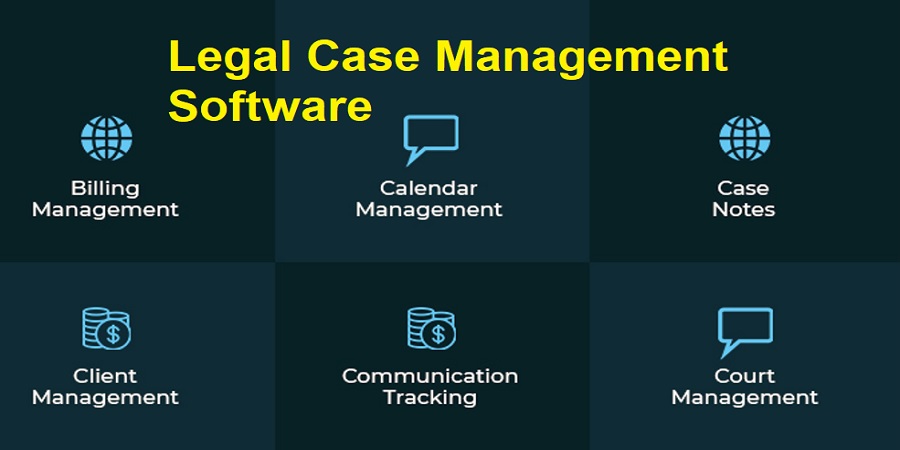
Legal Case Management Software is a computer-based program that assists in law firms to manage all the components of an individual case and provide smooth operation. It gathers all data at a central location, mechanizes routine work, and provides a transparent workflow system, documents, dates, and correspondence with clients.
Importance for Modern Law Firms
Today, lawyers in a busy and hectic law practice are handling a large number of cases, bulky documents, and strict rules of compliance. The reason why case-management software is necessary is that it optimizes operations, minimizes administrative efforts, and minimizes errors. Having everything related to cases in one place, lawyers will be able to concentrate on strategy and representation of the client rather than administration.
Enhancing Productivity and Cooperation.
The use of case-management software increases the efficiency of the process as it automates activities like appointment scheduling, deadline tracking, and creating reports and reminders. It is also very helpful in terms of cooperation: colleagues can share the files and notes and control the progress in real-time, keeping all members on track.
Ensuring Compliance
There are numerous ethical, legal, and regulatory requirements that law firms have to adhere to. Client documents are stored insecurely using case-management software, which also logs communications with clients and audit trails of all actions. Access control and cloud storage are some of the features that ensure that sensitive data is safeguarded without violating the privacy laws.
Practical Examples
Such functions as case tracking- allowing lawyers to keep in touch with the status of every file- document storage to keep the pleadings, contracts, and evidence, and client communication tools that allow clients to securely send and receive messages are typical functions. These functions make it easier to work on cases and increase client satisfaction.
To sum up, case management software is a very important piece of technology in the contemporary law firm. It enhances productivity, teamwork, and compliance, and eventually allows lawyers to be more productive and handle cases more effectively.
Key Features of Legal Case Management Software
Legal case-management programs provide an amalgamation of tools which streamline operations in the firms, increase efficiency, and reduce errors. The features assist attorneys to handle cases, clients and administrative tasks on daily basis.
Case Tracking
Case tracking allows the lawyers to view the status of each file in real time to include deadlines, court dates and milestones. Automated reminders will ensure that the filing dates are not missed and lose time due to penalties and lost cases are minimized.
Document Management
The system keeps the contracts, pleadings and evidence in a digital warehouse. This reduces time wasted in search of files, clutter, and ensures that the most recent versions can always be available which will eliminate errors caused by the old information.
Billing and Invoicing
Automated billing and invoicing keep track of billable hours, produce invoices and handle payments. This minimizes human error, timely billing and enhances cash flow of the firm.
Calendar Management
Embedded calendars enable lawyers to make appointments, hearing sessions and meetings easily. The ability to set timelines of the cases according to the calendar helps the attorneys to prevent scheduling conflicts and keep on track of the most important events to save time and improve the service to the clients.
Client Portal Access
Client portals are secured to ensure that clients can see the updates, documents, and messages. This enhances communication, reduces redundant enquiries and fosters trust by ensuring that the clients are not left uninformed with recurrent manual updates.
Reporting Dashboards
Dashboard reporting provides details on the progress of cases, financial performance, and productivity of staff. Reports can be fast generated, bottlenecks easily identified and wiser decisions made by the lawyers, reducing delays in the administration department and increasing the overall efficiency.
Benefits of Using Case Management Software
There are numerous benefits of using case-management software in law firms that help enhance efficiency and client service, as well as regulatory compliance.
Improved Efficiency
Routine activities are automated to enable lawyers to concentrate on high-value activities which include scheduling, file organization and updates. As an illustration, a company which has several civil cases to manage will be able to watch deadlines and status much quicker than through a manual review, which cuts a lot of workloads.
Better Client Service
Secure messaging and client portals allow clients to view updates, read documents and communicate real-time. Such transparency accelerates the response, and creates loyalty. As an example, one personal-injury firm can stay in contact with clients without receiving phone calls on the amount of filings and hearings.
Cost Savings
Automation saves on the additional employees and eliminates errors that might result in expensive litigation. Effective billing, filing, and reporting reduce the operating cost and ensure accuracy.
Secure Data Management
The application encrypts, implements access controls, and backup sensitive data of clients and cases. This protects against breaches and compliances with privacy regulations including GDPR and state-specific regulations.
Simplified Compliance
Lawyers are expected to observe ethical, legal and reporting standards. Case-management tools form audit trails, expectancies, and produce correlation reports, making it less challenging to comply with regulations and reduce the risk of penalties.
Top Legal Case Management Software in the USA
Below is a brief overview of the most popular legal case-management applications in the U.S., their features, approximate price, and the size of the firm they are most suitable to.
Clio – Ideal Growing and Mid-size Firm.
One of the most popular platforms is called Clio and provides more detailed case tracking, client management, billing, and integration with numerous third-party applications. It is cloud-based, has a powerful client portal, and is mobile-friendly. It begins with prices of approximately 39 dollar per user per month and runs up depending on features.
MyCase -The Best Value in Small to Mid-Size Firms.
MyCase is an easy-to-use and affordable blend of case management, document storage, messaging, billing, and a client portal. The pricing starts around $49 per user per month, but prices are on a flat rate with the ability to include unlimited users on certain plans.
PracticePanther – Solo and Small Firm Best.
PracticePanther has time tracking, client portals, and automated billing. The cost begins at approximately $49-59/user/month and increases according to various levels of functionality, including text messaging and e-signatures. Its value and simplicity enable it to be a strong option of small teams and solo practitioners.
Rocket Matter – Powerful Billing and Time Tracking.
Rocket Matter is focused on accurate time tracking, billing, calendering, and payment integration. No frills packages begin at around $39 to 69 per user per month, according to the features. It fits well with the companies that require extensive billing capabilities and simple case processes.
Other Notable Tools
Smokeball is suitable when companies require document automation and productivity solutions, whereas Filevine and Zola Suite are scalable workflow and advanced reporting solutions that are offered to bigger or specialized practices. These platforms tend to charge directly depending on the requirements of a firm.
Choosing the Right Tool
Smaller companies are more likely to choose more basic and less expensive solutions, such as MyCase or PracticePanther, whereas larger companies are more inclined toward larger integrations and more comprehensive reporting, such as Clio or Filevane. Free trials on tests as well as match features to your workflow to identify the most suitable one.
Explore Top & Best Legal Technology Tools and Software in the USA
How to Choose the Right Legal Case Management Software
The choice of the appropriate case-management software is a tactical choice that can significantly enhance the efficiency of the firm and its service to clients.
Firm Size and Needs
Identify the number of attorneys and employees you employ, and look into your daily activities. Small companies are more focused on simplicity and cost-efficient solutions whereas mid-size and large companies require automated tools, multiple users, and rich reporting. Being aware of your area of practice and number of cases can be used to customize the tools and software to your practice.
Budget and ROI
Add subscription charges and other additional expenses such as installation, training or customization. An efficient work streamlining system that reduces manual work and error is likely to provide a good payoff in the long run.
Ease of Use
An easy to use interface enhances adoption. The intuitive systems reduce training and eliminate hiccups in workflow. Get a sample to understand whether or not the software is comfortable to your team and processes.
Integrations and Workflow
Choose software that integrates with what you already use- email, accounting and calendars, etc. A proper integration eliminates redundancy, maintains consistency in data and ensures that work flows efficiently across the teams.
Security and Compliance
Provide high encryption solutions, multi factor authentication, secure backups and adherence to the privacy legislation to secure client data and gain trust.
Customer Support
Training, bug solution, and utilization of the platform require reliable assistance. Users who receive fast and comprehensive service maintain available teams.
Comparison Example
An individual company can desire a straightforward, inexpensive tool possessing essential functions and strong assistance. A middle-sized company may require scalable software that has profound integrations, reporting and automation. A balance between these factors demonstrates the most suitable solution.
Cost Considerations and ROI for Legal Case Management Software
Being aware of pricing alternatives and the payback period, enables companies to select software which is going to drive sustainable growth.
Pricing Models
Legal case-management software tends to be based on one of the three models:
- Subscription pricing – the most prevalent one. Companies are charged a monthly or yearly pay which often includes updates to the software, maintenance and hosting to the cloud. It is good predictable spend and does not have large upfronts.
- Per-user fees – fee per user accessing the system. This allows smaller companies to begin at a low price and then increase, but the costs rise with a larger number of employees.
- Perpetual licensing or one-time purchase – a one-time payment with a lifetime license. It could be of interest to those who do not want the constant charges, but updates and support can introduce additional expenses.
Return on Investment (ROI)
Purchasing case-management software can lead to the observable ROI in the form of time-saving by the administration. An example is automated tracking that eliminates manual calendar updates and follow-ups, which saves a number of staff hours a week. The centralized documents also reduce time in searches and lawyers can work on billable assignments.
Automated billing helps in fast time entry and invoice preparation, enhancing the cash flow by minimizing late payments. Client portals cut down on staff queries by streamlining the communication.
In the long run, the saved time will translate to cost-saving. A company that reduces several hours of administrative tasks per week will be able to use that time on client services and increase revenue without necessarily hiring an equivalent number of staff. The decreased number of mistakes and missed deadlines reduces the chances of costly compliance problems or lost cases as well.
Implementation Tips and Best Practices for Legal Case Management Software
Implementation of case-management software successfully involves planning, staff participation, and maintenance. Best practices provide a transition that is smooth and has maximum benefits.
Staff Training
Adoption is dependent on thorough training. Provide full attorney, paralegal and administrative personnel training, including core features, workflow and reports. Practice and tutorials are hands-on and will assist in reducing resistance and error and confidence building.
Data Migration
Transfer current cases, client records, and financial information. Move data to avoid duplication or error by cleaning and organizing it first. test to make sure everything goes in the right direction and your new system functions properly with your existing data.
Process Mapping
Track existing processes and determine how the new software would enhance or automate the processes. Establish strict and uniform guidelines in regard to intake, record keeping, billing and customer interaction. Good process mapping will assist employees in understanding their roles and minimize misunderstandings in the process of change.
Regular Updates and Maintenance
Maintain the software with the most recent updates, security patches and functionality updates. Periodic maintenance averts technical issues, enhances the security and maintains adherence to legal standards. Make staff install the updates as soon as possible to acquire new tools and improvements.
Continuous Evaluation
Once the implementation is finished, observe the usage, gather feedback and modify workflows accordingly. Conducting frequent reviews assists in establishing the bottlenecks, maximizing productivity and ensuring that the software remains useful to the firm needs.
Conclusion
The selection of the appropriate legal case management software is one of the actions that can be considered strategic and can contribute greatly to the productivity, client satisfaction, and efficiency of a law firm. Centralization of case information, automation of administrative processes, and workflow optimization enable firms to reduce errors, save time and concentrate on providing high quality legal services. Document management, calendar tracking, billing automation, and secure client portals are some of the features that enhance communication and responsiveness as well as enhancing client relationships.
Finally, a software choice that corresponds to the size, budget, and workflow requirements of a firm gives an opportunity to empower attorneys and employees, increase their efficiency, improve the client experience, and evolve towards long-term growth and efficiency of operations.
FAQs
1. What is legal case management software?
It is an online tool that assists law firms to handle cases, track documents, communicate with clients and simplify operations.
2. Why do law firms need case management software?
It increases efficiency, minimizes errors, subjects to compliance, and improves client service.
3. What are the top legal case management software options in the USA?
Popular vendors are Clio, MyCase, Rocket Matter, PracticePanther and LEAP.
4. How much does legal case management software cost?
As per features, cost, and the number of people the prices range between 30 dollars to 125+ dollars per user per month.
5. Can small law firms benefit from case management software?
Yes, small and medium-sized companies can also have scalable solutions to operate effectively.
6. What features should I look for in legal case management software?
Find case tracking, document management, billing, calendar integration, client portal, and reporting dashboards.
7. How do law firms choose the right software?
Take into account the size of the firm, the budget, the convenience, the security, the customer service, and integrations.